YOUR NEXT GREAT CLIP IS ALREADY IN YOUR VIDEO
Free ClippingAI
Turn the moments that matter into shorts worth sharing. Drop a link or upload a video. We’ll handle the cuts, the captions, and the vertical format.
First video free, up to 10 minutes.
No sign-up. No credit card. Then 20 minutes each month. Free slots: 3 per day across the service.
3–5 clips · 9:16 format · English captions · Free 720p exports with watermark
QueuedTranscribingSelectingRenderingReady
Captions? Already done.
One video. 3–5 possibilities.
REAL RENDERS · STUDIO EXAMPLESYOUR IDEAS, WHEREVER YOUR AUDIENCE IS
YouTube Shorts TikTok Reels
LESS TIMELINE. MORE LIMELIGHT.Long-form in.
Long-form in.
Scroll-stoppers out.
A few small moments, with a whole lot to say. See what a finished clip looks like.
Progress starts with modest decisions
Give your story a clear ending
Real studio renders with synthetic narration, not customer results. Local runs use a cached transcript. Cloudflare processing time is measured separately.
FROM “I SHOULD CLIP THAT” TO DONEThree steps.
Three steps.
Zero editing rabbit holes.
youtube.com/watch… ↗
Bring your video
Paste a YouTube link or upload a video or audio file. Your first recording is free up to 10 minutes, with no account or card required. Choose a bold or minimal caption style and let the tool get to work.
Let the good bits surface
We transcribe the dialogue, time each sentence, and look for complete thoughts worth sharing. The selected moments become 3–5 focused clips. Follow the live processing stages while your recording is in the queue.
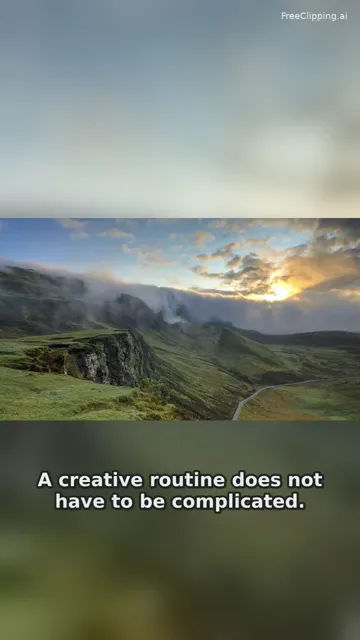
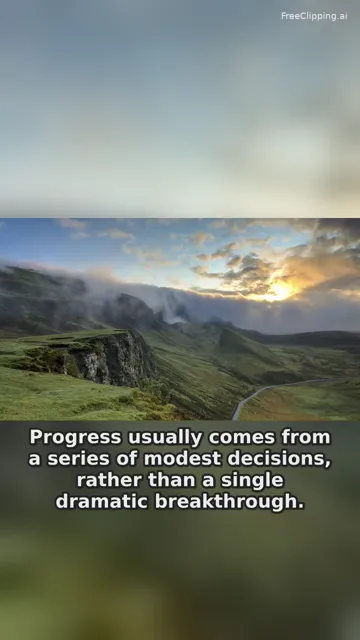
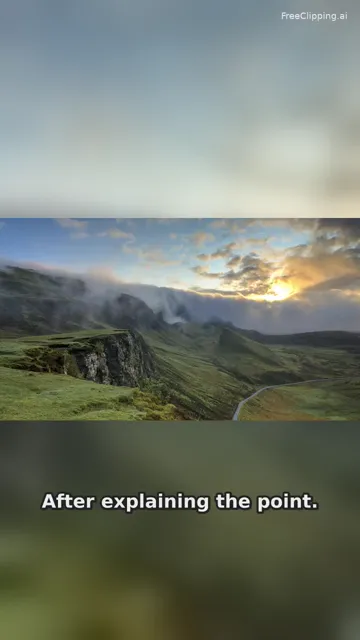
Download. Post. Repeat.
Preview your vertical clips, check the captions, and download each MP4. Share an individual clip link or publish it for search. Keep the versions you like before their 30-day storage period ends.
YOUR IDEAS. A LITTLE MORE REACH.Keep creating.
Keep creating.
We’ll keep clipping.
A free AI clipper for the recordings you already have. Spend less time finding the moment and more time making the next one.
Whether you call it a free AI clipping tool or search for “AI clip generator free,” the goal is the same: a useful way to turn spoken ideas into short videos, without a complicated editing workspace.
Cuts with context
Complete thoughts beat random snippets. Our selector chooses boundaries from actual spoken segments so your clips have a clear beginning and ending.
Captions that keep up
Segment-level timing, readable English captions and two styles. Download with captions baked in, or switch the track on and off in the share player.
Made for the vertical feed
A 9:16 frame keeps the original picture intact over a soft blurred background. Your interview, tutorial or talk can travel to a smaller screen.
Yours to take anywhere
Each highlight gets its own MP4 download and player page. Free export is 720p with a small watermark; paid plans support clean 1080p files.
START FREE. GROW WHEN YOU’RE READY.Good clips.
Good clips.
Simple numbers.
Pay for source minutes, not the number of clips. Your first video is on us.
Free
$0 / month
For your first clip, and your next idea.
- First video free · up to 10 min
- Then 20 minutes / month
- 3–5 clips per recording
- 720p with watermark
- No sign-up or credit card
StarterTHE CREATOR PICK
$9 / month
More minutes. A clean finish.
- 150 minutes / month
- No watermark
- 1080p exports
- Two caption styles
- Individual clip downloads
Pro
$19 / month
For creators with more to share.
- 500 minutes / month
- No watermark
- 1080p exports
- Priority processing queue
- Two caption styles
No credit card to try Free. Monthly allowances reset each calendar month. Paid checkout is coming soon.
THE LITTLE THINGS, EXPLAINEDGood questions.
Good questions.
Straight answers.
Everything you need to know before you turn that long video into your next short.
Is it really free?
Yes. Your first video is completely free, up to 10 minutes. After that, the Free plan includes 20 minutes each month. You do not need to sign up or enter a credit card. Free clips export at 720p with a small FreeClipping watermark.
What’s the maximum video length?
Your first free video can be up to 10 minutes long. After your first video, you can process up to your remaining 20 monthly minutes. Starter includes 150 minutes per month and Pro includes 500. For reliable processing, an individual paid upload is limited to 60 minutes and every uploaded file is limited to 500 MB.
Do I need to create an account?
No. You can submit a video and get your first clips in the same browser without creating an account. A secure browser cookie remembers your free allowance and lets you see your job. Keep that browser open while processing; clearing cookies does not bypass IP rate limits.
Do you keep my videos?
Source uploads and cached transcripts expire after 7 days. Generated clips expire after 30 days, so download any clips you want to keep. Completed jobs can be deleted from the results panel. A share link is unlisted by default; you choose whether to publish it for search engines.
Can I use FreeClipping for YouTube videos?
Yes. Paste a link to a single YouTube video you own or have permission to repurpose. FreeClipping turns landscape footage into a vertical layout and adds English captions. Private, age-restricted, live and region-blocked videos may not be accessible. You can upload your original file instead.
Which files can I upload?
Upload MP4, MOV, WebM, MP3, M4A, WAV or OGG files up to 500 MB. Audio-only podcasts become vertical captioned videos on a simple background. For best results, choose a recording with at least a minute of clear English speech. Non-YouTube podcast links should be downloaded by you and uploaded as a file.
How many clips do I get?
A recording with enough clear speech produces 3–5 non-overlapping highlights, generally 15–60 seconds long. Each clip has its own title, captions, playback page and download. Very short recordings, prolonged silence or unclear dialogue may not contain enough material to create three useful clips.
How long does it take?
About 2 minutes is our target for short recordings, not a guaranteed processing time. Video length, speech density, download speed and queue demand affect the result. The tool shows your current processing stage. We record actual job and container runtime so we can improve speed without guessing.
Are the captions editable or switchable?
Clips are transcribed with segment-level timestamps and exported with burned-in English captions. Choose a bold highlighted style or a quieter minimal style before processing. On a clip’s share page, captions use a separate track you can turn on and off. The downloaded social-ready video keeps its captions visible.
Is there a free export without a watermark?
The Free plan includes a small watermark and 720p export. Starter is $9 per month for 150 minutes and Pro is $19 per month for 500 minutes; both support 1080p export without a watermark. The no-watermark option described on our YouTube page belongs to the paid plans.
What happens if I run out of minutes?
The tool tells you exactly when a video exceeds your remaining allowance. It never silently fails or charges a card. Monthly minutes reset at the start of each calendar month. Failed processing releases the reserved minutes. You can choose a shorter source, wait for the reset or review the paid plans.
Can I post the clips on TikTok, Reels and Shorts?
Yes. Outputs use a 9:16 frame and MP4 format, making them easy to publish to TikTok, Instagram Reels and YouTube Shorts. You remain responsible for the rights to the source footage, voices, music and any other included material. Review the final clip and each platform’s current rules before posting.
Your next great clip
is already in there.
First video free, up to 10 minutes. No sign-up. No credit card.